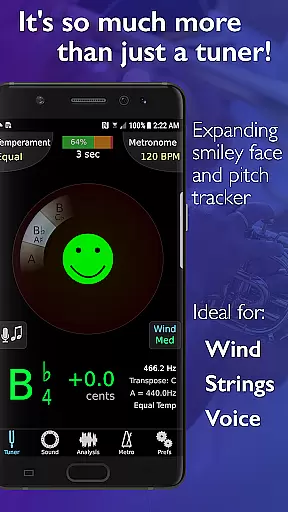
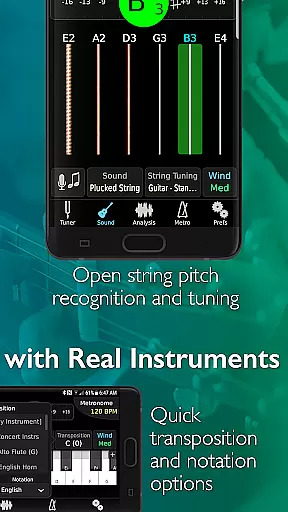
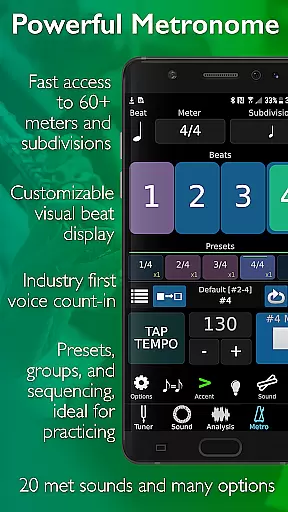
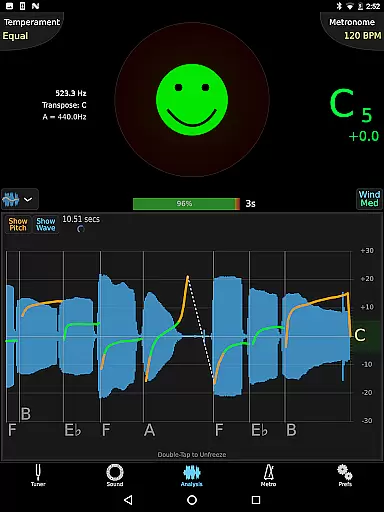
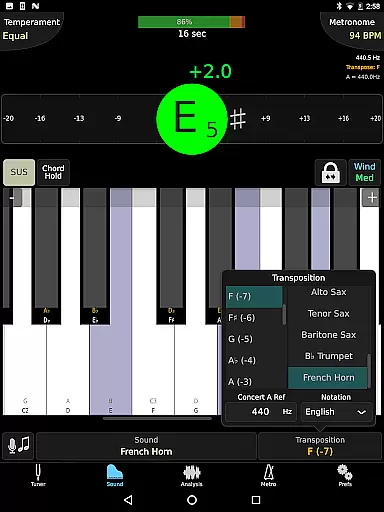
TonalEnergy Tuner & Metronome is a comprehensive music practice tool designed for musicians of all levels, from beginners to professionals. This app goes beyond basic tuning by integrating a state-of-the-art tuner, an advanced metronome, and various practice-enhancing features. Users can access dedicated orchestral strings and guitar tuning pages, a piano keyboard, sound analysis tools, and audio recording capabilities, making it an all-in-one solution for musical development.
One of the standout features of TonalEnergy is its ease of use. Options like the Target Tuner or Pitch Tracker are readily available on all main pages, helping users set rewarding and attainable goals during rehearsals or solo practice sessions. The app also offers unique ear training possibilities through high-quality multi-sampled instrument sounds, an eight-octave keyboard, chromatic wheel, and tone generator. Additionally, the cutting-edge metronome provides unmatched flexibility in sound choices, tempo settings, meters, subdivision patterns, and visual displays, enhancing the overall practice experience.
The app's social connectivity features allow users to collect, review, edit, and share practice data with others, fostering growth and development among performers. Whether you sing or play a brass, woodwind, stringed instrument, or any type of guitar, TonalEnergy Tuner & Metronome provides fun and rewarding feedback that makes practice sessions more effective and enjoyable.
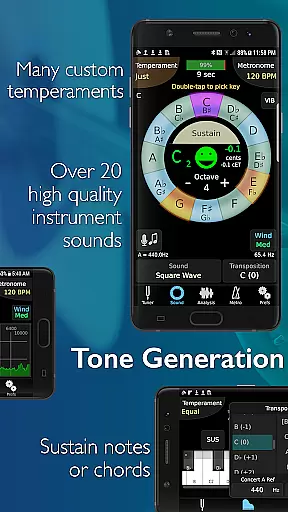
TonalEnergy Tuner & Metronome stands out due to its extensive range of features tailored for musicians. It recognizes a wide pitch range (C0 - C8), which is highly responsive to wind instruments as well as acoustic and electric string instruments. The adjustable A=440 Hz reference and automatic or manual transposing options cater to different tuning needs, while instant changes between equal, just, and custom temperaments offer versatility in practice.
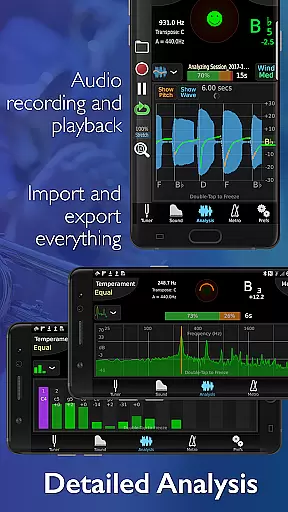
The app includes an extensive tuning list for all orchestral string and fretted string instruments, surpassing many other string-only tuner apps. An expandable eight-octave piano keyboard enhances key aspects of the tuner’s functions, and the chromatic wheel tone generator with an optional auto-vibrato feature adds depth to sound exploration. Frequency and harmonic energy overtone graphs, along with a multi-function waveform, provide detailed sound analysis.
TonalEnergy also excels with its dedicated metronome page, which matches or exceeds features available in standalone metronome apps. Notation options include standard English, Solfege, Northern European, and Indian variants. Audio recording capabilities with editing, looping, and timestretch functions are exportable, and compatibility with external microphones and MIDI keyboard control support further enhance its utility. All device orientations are supported, ensuring a seamless user experience.
TonalEnergy Tuner & Metronome offers an extensive music library that caters to a wide range of instruments, making it an indispensable tool for musicians across all levels. The app includes high-quality multi-sampled sounds for symphonic instruments, which stand out among other tuning applications.
With dedicated orchestral strings and guitar tuning pages, the app supports a variety of instruments including brass, woodwinds, strings, and guitars. This ensures that users have access to authentic sounds that are crucial for accurate tuning and practice.
The inclusion of unique instrument sounds emphasizes the app's commitment to copyright authenticity. Musicians can trust that they are engaging with legitimate content that respects intellectual property rights while providing unparalleled resources for ear training and performance preparation.
One of the standout features of TonalEnergy Tuner & Metronome is its superior audio quality options, which enhance the overall user experience. The app provides adjustable settings such as A=440 Hz reference and instant changes between equal, just, and custom temperaments, allowing for precise sound customization.
Users can take advantage of the eight-octave keyboard, chromatic wheel, and tone generator to develop their listening skills. These tools offer clear and accurate sound reproduction, essential for effective practice sessions and performances.
In addition to its robust tuning capabilities, the app supports external microphones and MIDI keyboard control, ensuring high-quality input and output. This compatibility allows musicians to integrate their preferred equipment seamlessly, resulting in an unmatched level of audio precision and flexibility.
User-friendly interface
Comprehensive all-in-one tool
Advanced metronome features
High-quality instrument sounds
Social connectivity options
May be overwhelming for beginners
Requires learning curve
Some features need premium access
Occasional bugs reported
Heavy on device resources

Equalizer, Bass Booster and Volume Booster (Eq & Bass) improve sound quality
 4.30
4.30
Tune in to the greatest hits on UK Radio | The home of Capital, Smooth & Heart.
4.90
Ultimate Sonos Controller
4.70
A sleek, no-frills player designed for true music lovers.
4.20
Voice recorder - Audio recorder. Best recorder for recording
4.90
Play KORG’s revolutionary touch-based instrument on a variety of devices.
4.40
Sing, record, and create music together — enhanced by smart voice tools.
4.00
One-tap booster for max volume - enjoy powerful sound with this audio booster
4.50
Be a true music maker: create beats, mix and make music like a real DJ!
4.30
Most Advanced AI Song Generator and Music Creator. Rap, Pop, Rock, Gospel & more
4.70
Walkout Song DJ is the most intuitive app to manage your sports music.
4.70
Offline Music Player&MP3 Player with themes, equalizer, lyrics, music play mode
4.60
Reverse your voice & songs instantly! Fun singing challenge with cool effects.
4.60
DJ Music Mixer Pro is a real DJ controllers and DJ Music Studio to remix DJ.
4.40
Time Guru will strengthen your internal sense of musical time via random muting.
4.30
Enjoy singing any song, no matter how high or low it is
4.30
The original SP-1200 experience on your iPad
4.20
The ultimate media player for Android devices
3.90
Remove ads permanently from Music Visualizer
4.2


User Reviews