
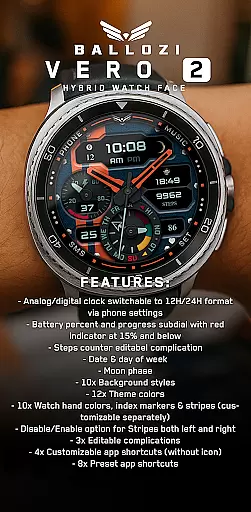
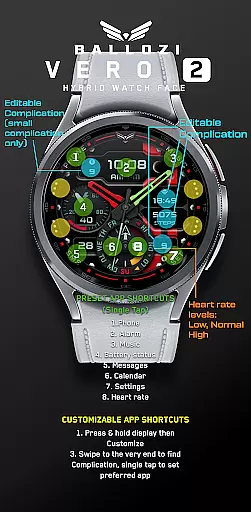
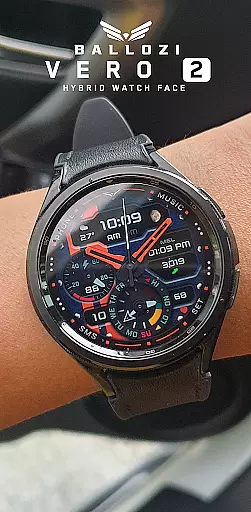
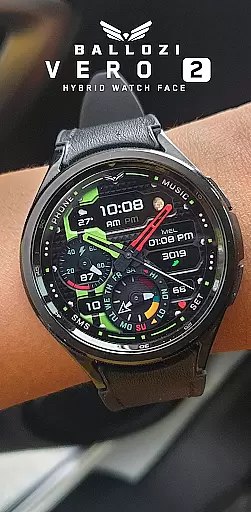
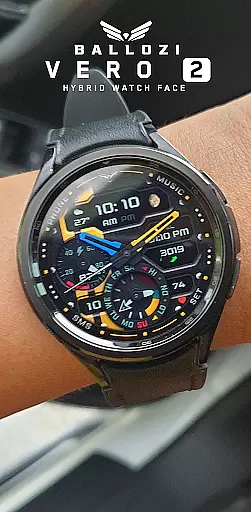
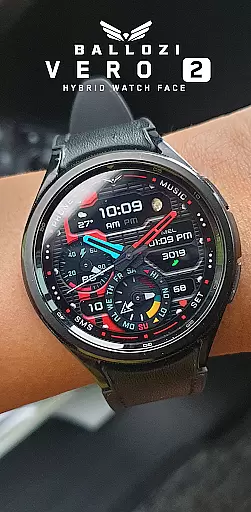
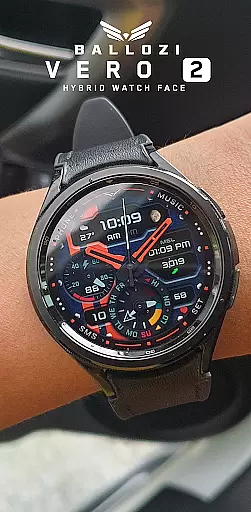
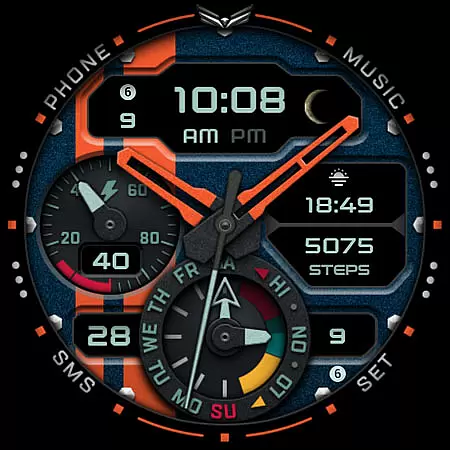
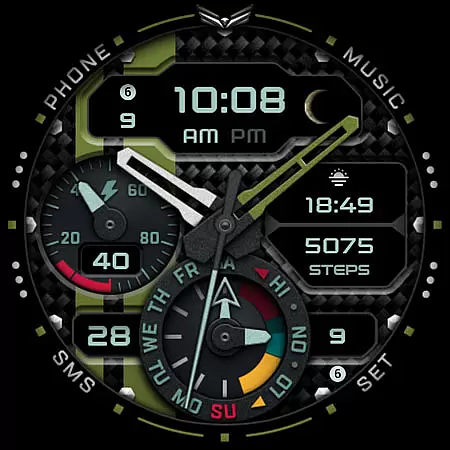
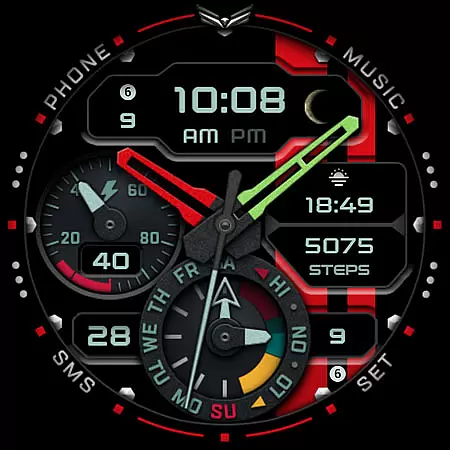
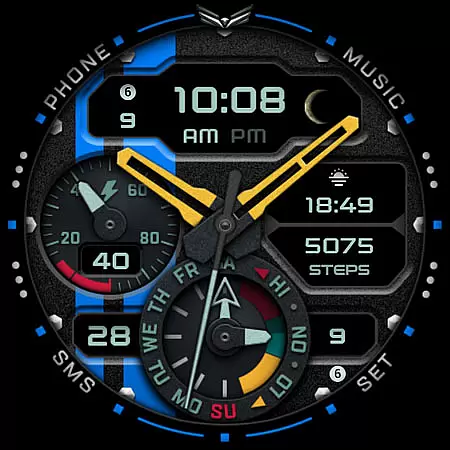
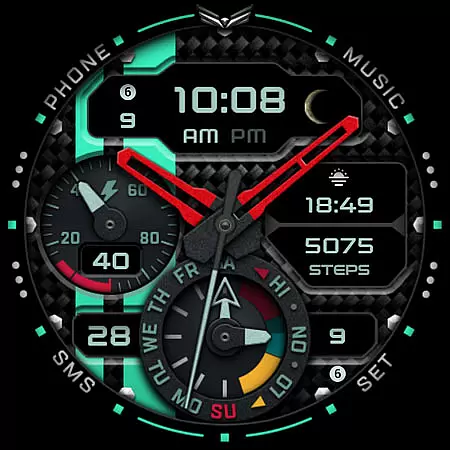
Ballozi VERO 2 Hybrid Analog is a feature-rich Wear OS watch face that combines modern design with practical functionality. This hybrid watch face offers both analog and digital displays, switchable between 12H and 24H formats through phone settings. With its extensive customization options, users can personalize their watch face to match their style while accessing essential information at a glance.
The watch face includes multiple subdials showing battery percentage, steps counter, date, day of the week, and even moon phase. Users can choose from 10 background styles, 12 theme colors, and 10 watch hand colors. The app also supports customizable complications and app shortcuts, providing quick access to frequently used apps like Phone, Alarm, Music, and Calendar. These features make it an ideal choice for users seeking both aesthetics and functionality on their Wear OS devices.
Ballozi VERO 2 stands out with its comprehensive feature set tailored for Wear OS users. One of its key characteristics is the ability to customize almost every visual element on the watch face. Users can modify background styles, theme colors, and even individual watch hand colors. The inclusion of 3 editable complications and 4 customizable app shortcuts allows users to optimize their watch for personal productivity.
The watch face also provides practical indicators such as battery level with a warning indicator at 15% or below, step count tracking, and moon phase display. Additionally, users can enable or disable design elements like stripes on either side of the watch face. With 8 preset app shortcuts and compatibility with various Wear OS devices running version 5.0 or higher, this app delivers both versatility and convenience in a single package.
Companion app integration is essential for a seamless wearable experience. Ballozi VERO 2 ensures that your watch face settings are perfectly synchronized with your smartphone. This allows users to make customizations directly from their phone, ensuring convenience and saving time.
The installation process is straightforward. After installing the companion app on your phone, all customization options become readily available. Users can switch between analog and digital clock formats, adjust background styles, theme colors, and even configure app shortcuts. This level of integration provides a unified experience across devices.
With the companion app, users also gain access to real-time updates and additional features. Whether it's adjusting battery indicators or setting up complications, the app ensures that every aspect of the watch face is easily manageable. This makes Ballozi VERO 2 not just a watch face, but a comprehensive wearable solution.
Ensuring compatibility with Wear OS and various devices is crucial for a versatile smartwatch application. Ballozi VERO 2 is designed to work seamlessly with smartwatches running Wear OS 5.0 or higher (API level 34+). This guarantees that users with different devices can enjoy the same high-quality experience.
The application supports a wide range of smartwatches, including popular Samsung models. By checking the Galaxy Wearable app, users can easily find and apply the newly installed watch face. For other Wear OS devices, users can locate the watch face in the respective watch app installed on their phone.
Beyond compatibility, Ballozi VERO 2 offers extensive customization options. With features like 10x background styles, 12x theme colors, and 10x watch hand colors, users can tailor the watch face to their preferences. This flexibility, combined with broad device support, ensures that Ballozi VERO 2 meets the diverse needs of its users.
Highly customizable
Feature-packed display
User-friendly interface
Wide device compatibility
Quick-access shortcuts
Complex setup process
Limited to Wear OS
Requires API level 34+
No built-in icon support
Premium feel but not free

A Wintery Snow Globe on Your Wrist; now celebrating Christmas!
 4.1
4.1
Be an elegant and classy secret agent, with this carefully detailed watch face
4.70
Watch face for Wear OS.
4.20
Digital, flexibly customizable watch face. For Wear OS 5.0, API 34+ and later.
5.00
Stay in touch with your friends and family using LINE!
3.40
Viewer for Wyze/Yi/Eufy/Arlo/ONVIF/RTSP/P2P IP cams w/ adv. features & DIY DVR
4.00
Premium hybrid watch face with many customizations for Wear OS devices.
4.40
Back up your contacts & access them anywhere
4.30
Download full tracks, listen to music offline, make unlimited playlists.
4.80
Christmas Theme Watch Face for Wear Os
5.00
Gym Log & Workout Tracker | Fitness Journal, Training & Weight Lifting Planner
4.90
Hyperlocal rain alerts by MyRadar using patent-pending technology, radar & more
4.80
The most customizable minimal watch face. For Wear OS 5.0, API 34+ and later
4.70
To-Do List: daily schedule planner, task organizer, to do reminder app, calendar
4.60
Real-time results, stats, schedules and player profiles for all leagues
4.60
Retro digital watch face with customizable colors and a unique lighting effect
4.60
Reliable phone calls with spam protection, caller ID and more helpful features
4.40
Watch face designed for Thanksgiving Day. 7 Background Styles included.
3.20
Minimalistic design modern digital watch face.
4.5


User Reviews