
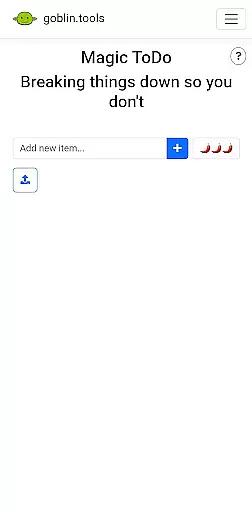
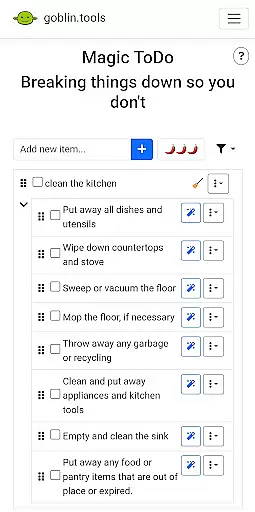
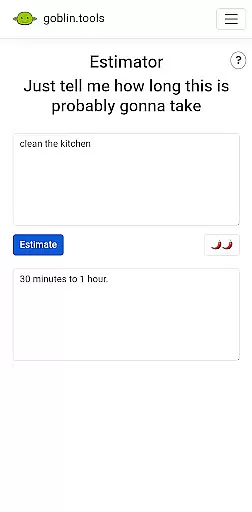
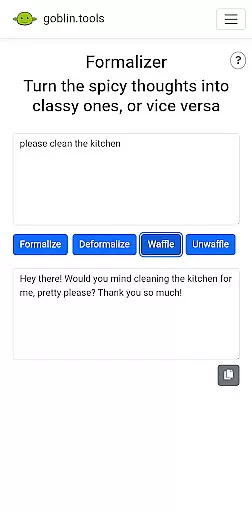
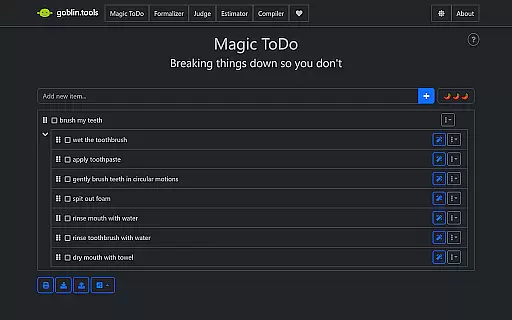
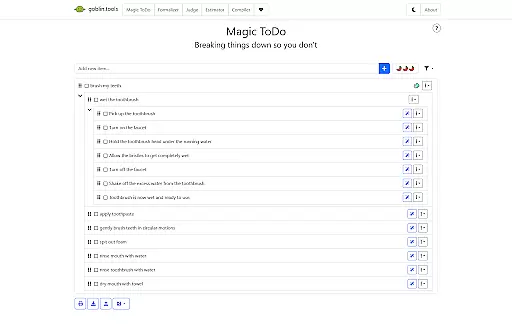
Goblin Tools is a productivity app designed to simplify everyday tasks through a collection of small, intuitive tools. It offers solutions for task management, text rewording, mood sensing, and more, making it especially helpful for neurodivergent individuals. The app provides practical utilities like Magic ToDo for breaking tasks into manageable steps, Formalizer for tone adjustment in texts, and Chef for creating recipes on the fly.
With its clever design, Goblin Tools supports users with ADHD, autism, and other executive function challenges. By delivering these features in an easy-to-use format, the app helps people navigate daily life with greater ease and confidence. Whether you need help organizing your thoughts or simplifying complex activities, Goblin Tools has something valuable to offer.
Goblin Tools stands out with its diverse range of features tailored to assist with various productivity needs. The app includes Magic ToDo, which allows users to break down any task into smaller, more manageable steps, aiding those who struggle with executive function. Another notable feature is the Formalizer, which instantly adjusts the tone of written text, ensuring communication is clear and appropriate.
Additionally, Goblin Tools offers unique functionalities such as Judge, which analyzes the emotion behind messages, and Professor, which simplifies complex information for better understanding. These innovative tools are crafted to support neurodivergent users, including those with ADHD and autism, by providing practical solutions that untangle daily challenges and enhance overall productivity.
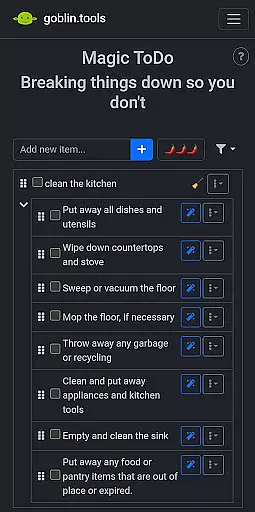
At the heart of Goblin Tools lies its ability to simplify and manage tasks effectively, making it an ideal companion for those facing executive dysfunction or ADHD. The Magic ToDo feature breaks down any daunting task into manageable steps, ensuring that users can approach their work with clarity and confidence.
This granular approach to task management allows users to focus on one step at a time, reducing overwhelm and increasing productivity. By providing structured guidance, Goblin Tools empowers users to tackle complex projects without feeling lost or discouraged.
The app's clever design extends beyond mere task division; it creates a personalized roadmap for each user. This ensures that every individual can work at their own pace while maintaining a clear sense of direction and purpose.
In today's interconnected world, having reliable cross-device synchronization is crucial for maintaining workflow continuity. Goblin Tools excels in this area by ensuring that all your progress and customizations are seamlessly synced across multiple devices.
Whether you're transitioning from your phone to a tablet or working between home and office computers, the app maintains perfect consistency. This means you'll never lose track of your to-do lists or personal settings, regardless of where you access the application.
The robust synchronization system provides real-time updates, allowing users to pick up exactly where they left off. This level of reliability not only saves time but also offers peace of mind, knowing that your valuable data is always up-to-date and accessible from anywhere.
User-friendly interface
Task simplification
Tailored for neurodivergent
Innovative features
Supports mental clarity
Limited advanced options
No offline functionality
Small user base
Few customization settings
Requires constant updates

aCalendar+ makes your day, week and month
 4.70
4.70
Easiest event planning, volunteer signups & parent teacher conference scheduling
2.20
Activate Two Factor Authentication (2FA or Multi OTP), Password manager and more
4.10
Translate text/voice/photos in 150+ languages. Offline & fast translator app.
4.50
Great calculator for Android named one of USA TODAY's "25 Essential Apps".
4.90
A simple Whisper AI keyboard for reliable speech transcription and rewording
4.60
Lightweight PDF, Word, Excel reader.
4.60
Scan paperwork into PDF/JPG, generate your own e-signature and send fax or email
4.70
Set up, print, and get support—in one place
4.20
A beautiful digital clock with autostart and many other functions
4.70
Secure, fast, open-source, VNC and SSH Remote Desktop for Windows, Linux and Mac
4.70
Stay on top of your to-dos with Google Tasks, part of Google Workspace.
4.60
Secure your apps with lock screens, use custom themes and different features.
4.40
A customizable calendar for your Wear OS watch
4.20
Total remote control for your Android device, PC and cloud services (IFTTT)!
4.20
Pwnagotchi companion app
4.20
Todo reminder
4.10
* block pre-roll ads, pop-up and forced redirect ads * Samsung certification app
4.00
Make your handwriting beautiful, even more than pen on paper.
3.60


User Reviews