
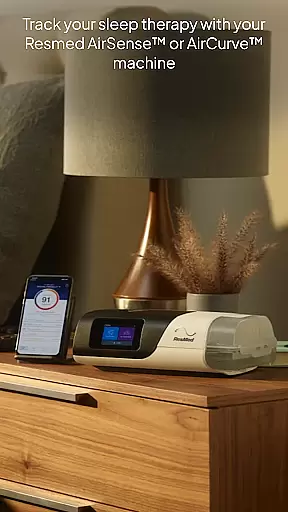
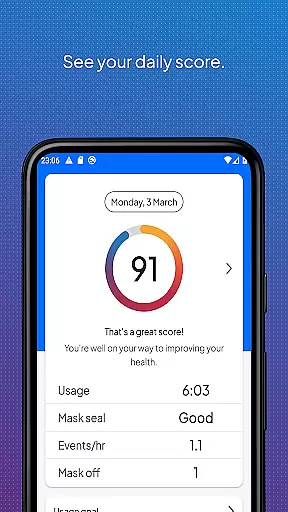
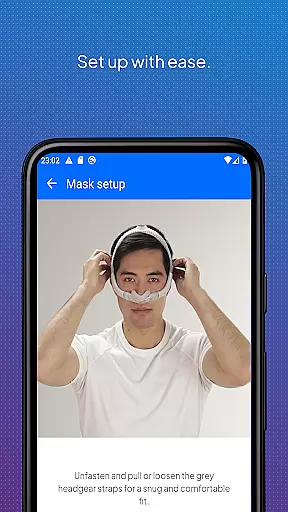
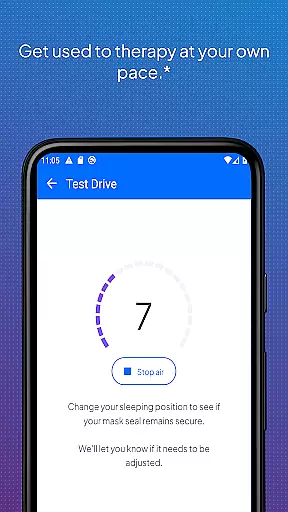
myAir by Resmed is an innovative app designed exclusively for users of Resmed AirSense and AirCurve devices, helping them manage their sleep therapy effectively. The app offers a comprehensive guided setup process that includes interactive voice-guided instructions and a Test Drive feature to acclimate users to different air pressure levels. This ensures users can set up their equipment with confidence.
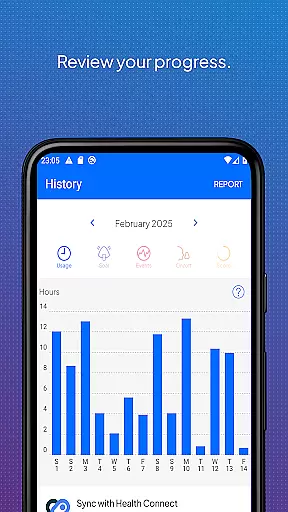
Beyond setup, myAir provides personalized support acting as a virtual sleep coach. It delivers tailored coaching, tips, and educational content to enhance user comfort and therapy success. Users can track their sleep therapy data through detailed metrics and a daily myAir score, allowing them to monitor progress over time. Additionally, integration with Apple Health and Health Connect enables users to view their Resmed therapy data alongside other health metrics.
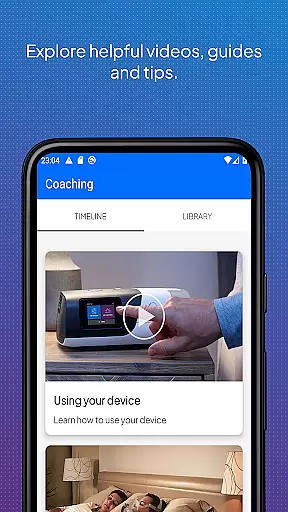
One of the standout features of myAir is its Personal Therapy Assistant, which uses interactive voice guidance to help users set up their equipment and fit their masks correctly. The Test Drive feature allows users to experience therapy at varying pressure levels, ensuring comfort from the start. These features significantly reduce the learning curve associated with new equipment.
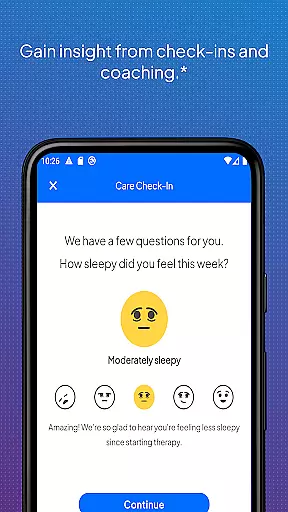
The app excels in offering personalized support and coaching. It proactively addresses common therapy challenges by providing tailored tips and solutions, such as fixing mask seal issues. Regular check-ins and notifications keep users engaged and informed about their therapy progress. Furthermore, with user consent, therapy insights can be shared with healthcare providers, enhancing coordinated care.
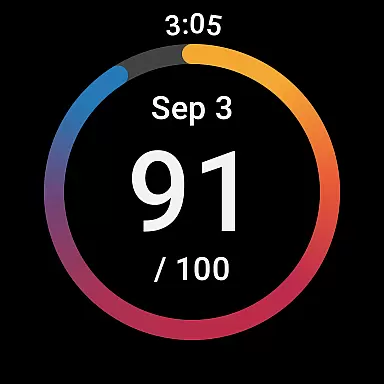
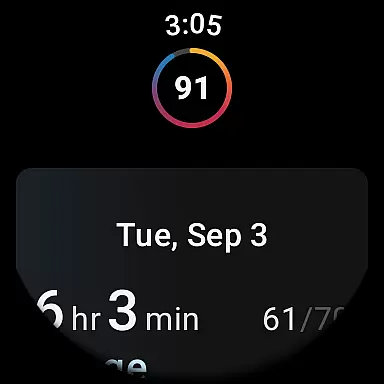
myAir also integrates seamlessly with popular health applications like Apple Health and Health Connect. This integration allows users to view their Resmed therapy data alongside other health metrics such as steps, heart rate, and sleep patterns. For added convenience, the myAir Wear OS smartwatch app lets users access their data on compatible Samsung Galaxy Watches, making it easier than ever to stay connected to their therapy progress.
Companion app integration is crucial for users who want a seamless experience between their wearable devices and primary applications. myAir by Resmed excels in this area by offering a dedicated Wear OS smartwatch app, which allows users to conveniently access their sleep therapy data directly from their Samsung Galaxy Watch. This ensures that patients using AirSense 11 machines can stay informed about their therapy progress without needing to reach for their smartphones.
The integration goes beyond just displaying data; it provides actionable insights and real-time updates. Users can receive notifications and reminders directly on their smartwatches, ensuring they never miss important alerts related to their sleep therapy. This level of connectivity fosters a more engaged user base, as individuals can monitor their nightly myAir scores and other metrics with ease.
Furthermore, the companion app maintains synchronization with the main application, ensuring all data remains up-to-date across devices. This means whether you're viewing your information on your phone or smartwatch, you'll always have the most current and accurate details at hand. Such comprehensive integration enhances the overall user experience, making myAir a reliable choice for those invested in managing their sleep therapy effectively.
Device compatibility is a key factor when choosing a wearable app, and myAir by Resmed offers robust support for Wear OS, ensuring broad device compatibility. Specifically designed for users with compatible Samsung Galaxy Watches, this app extends the functionality of AirSense 11 machines to smartwatches, allowing users to track their sleep therapy metrics conveniently. This compatibility ensures that patients can utilize their existing wearable technology to enhance their therapy management.
myAir's compatibility with Wear OS not only focuses on data display but also on maintaining system performance and reliability. The app is optimized to run smoothly on Wear OS devices, providing quick access to essential features without draining battery life. This optimization is critical for maintaining user satisfaction, as it ensures that the app functions seamlessly alongside other applications on the smartwatch.
In addition to supporting a range of devices, myAir ensures that its features are fully functional across different screen sizes and resolutions. This adaptability guarantees that users will have a consistent experience regardless of their specific Wear OS device model. By prioritizing compatibility and performance, myAir delivers a dependable solution for individuals seeking to integrate their sleep therapy management into their daily routines via their smartwatches.
User-friendly interface
Comprehensive guided setup
Personalized coaching tips
Detailed sleep therapy tracking
Integration with health apps
Limited to Resmed devices
Some features require specific machines
Dependent on wireless connectivity
Premium features may need subscription
Notifications can be intrusive

Gym Log & Workout Tracker | Fitness Journal, Training & Weight Lifting Planner
 4.90
4.90
Precision analog watch face with 7 complications and style options
4.5
A full-featured Amazon Alexa voice assistant that can show you things.
3.70
Contemporary digital watch face with five complications
4.2
Sleek, highly customizable watch face inspired by Galaxy Watch Circle Dashboard.
4.5
Stylish digital watch face for Wear OS devices with customizable features
4.4
Retro digital watch face with customizable colors and a unique lighting effect
4.60
Viewer for Wyze/Yi/Eufy/Arlo/ONVIF/RTSP/P2P IP cams w/ adv. features & DIY DVR
4.00
Track your active life in one place and share the journey with friends.
4.40
Hyperlocal rain alerts by MyRadar using patent-pending technology, radar & more
4.80
WTW M17 is a premium and luxurious hybrid watch face
4.70
A modern premium sporty hybrid watch face for Wear OS by Ballozi
4.70
Your second brain for organizing your life: to-do, calendar, reminder.
4.70
Rose gold watch face with festive lights & customizable features.
4.60
Watch face for Wear OS.
4.20
Animated Watch Face and Customizable with 24 Backgrounds. Perfect for Christmas!
3.90
A Wintery Snow Globe on Your Wrist; now celebrating Christmas!
4.0
Fitness interactive virtual pet super fighter boy watch face
4.3
Funny animated watch face for Thanksgiving
4.4


User Reviews