
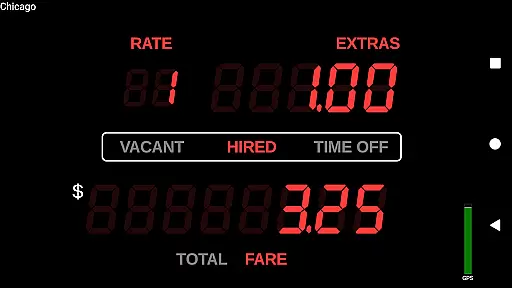
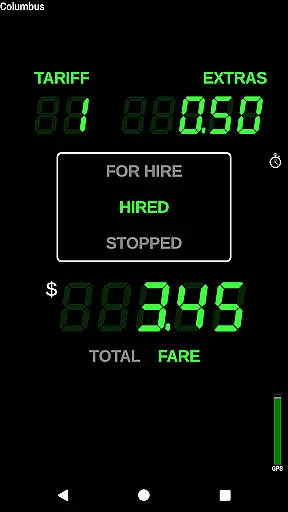
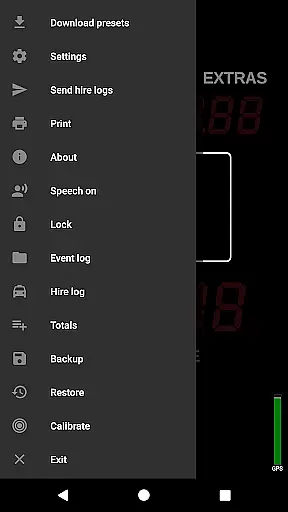
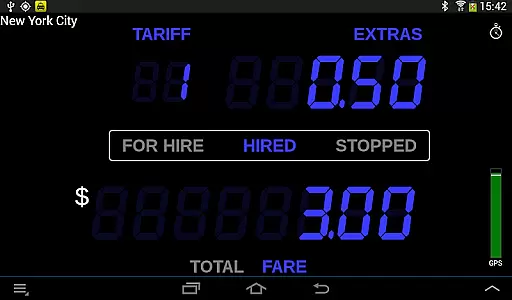
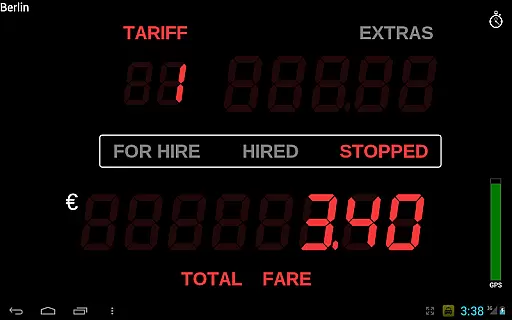
Taximeter is a professional-grade Android application specifically designed for drivers and regulators in the transportation industry. This app offers an accurate taximeter solution with realistic LED effect display and operational features, making it a reliable tool for various driving services worldwide.
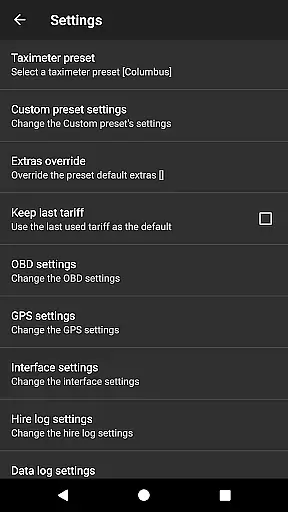
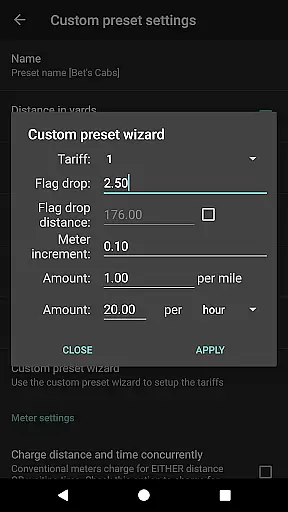
With support for over 200 predefined presets across more than 40 countries, Taximeter allows users to download the latest rates and customize tariffs through an easy setup wizard. The app supports both calendar-controlled and manual tariff switching, location-based geofencing, and ahead-of-time programming for future tariffs. It also integrates with popular payment processors like PayPal Here™ and Square Point of Sale™, enhancing its utility for professional drivers.
The app's comprehensive functionality extends to generating PDF receipts, managing hire logs, and providing accessibility features such as a talking taximeter for visually impaired users. Whether used for private hire, medical transportation, or airport transfers, Taximeter ensures precise fare calculations and seamless operations, empowering drivers with essential tools to manage their business efficiently.
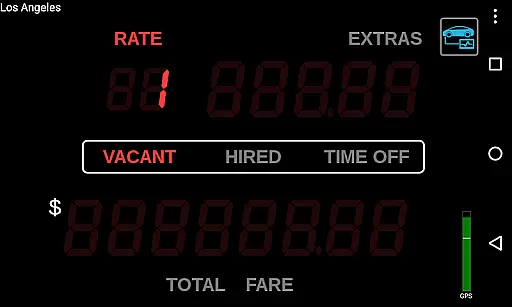
Taximeter stands out with its extensive feature set tailored for professional drivers. One of its key highlights is the realistic LED effect appearance, which mimics traditional taximeters and provides an intuitive user experience. The app includes over 200 predefined presets from more than 40 countries, ensuring global usability. These presets can be easily downloaded and customized, offering flexibility for different regulatory environments.
Another significant feature is the integration capability with third-party dispatch systems via an API, allowing synchronized operations across multiple devices on the same network using the Taximeter Proxy Service app. Additionally, the app supports advanced functionalities such as On-Board Diagnostics (OBD) speed data calculation, wireless GPS receivers, and cloud-based data logging, which contribute to accurate distance tracking and fare computation.
Taximeter also offers practical utilities like receipt generation in PDF format, email or SMS sharing options, and compatibility with Bluetooth mobile printers for physical receipts. With added benefits such as a screen saver, floating widget, and support for Samsung Multi Window™, this app delivers a versatile and user-friendly experience that meets diverse driver needs effectively.
In the realm of professional driving, having access to detailed vehicle information is crucial for both regulatory compliance and optimal service delivery. Taximeter offers an extensive suite of features that provide drivers with precise data about their vehicle's performance and fare calculations.
This Android taximeter application includes over 200 predefined presets across more than 40 countries, ensuring that drivers can operate legally and efficiently wherever they are. The ability to download the latest presets and even request custom presets free of charge means that drivers can always have the most up-to-date tariff information at their fingertips.
Furthermore, the app supports advanced functionalities such as location-controlled tariffs through geofencing, calendar-controlled tariff switching, and integration with On-Board Diagnostics (OBD) systems. These features allow drivers to automatically adjust fares based on real-time conditions, enhancing accuracy and fairness in transactions.
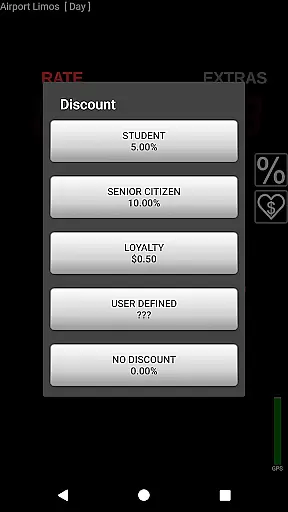
By providing comprehensive details on tariffs, extras, taxes, and discounts, Taximeter empowers drivers to offer transparent and reliable services. This level of detail not only builds trust with passengers but also streamlines operations, making it an indispensable tool for professional drivers worldwide.
Price transparency is a cornerstone of customer trust and satisfaction in the transportation industry. Taximeter excels in this area by offering clear, accessible, and customizable pricing structures that benefit both drivers and passengers.
The application allows drivers to set up multiple tariffs within a customizable preset, supporting up to 10 different tariffs. This flexibility ensures that pricing can be adjusted according to various factors such as time, distance, and specific services like airport transfers or medical transportation.
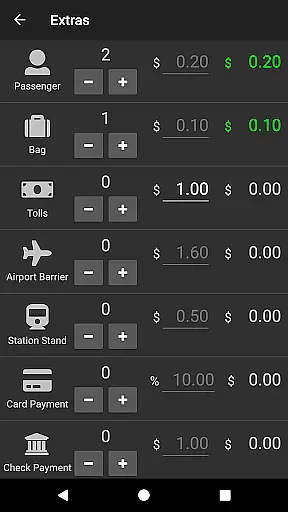
Taximeter further enhances price transparency through its ability to generate detailed PDF receipts. These receipts include itemized extras, taxes, discounts, and tips, which can be easily shared with passengers via email or printed using compatible Bluetooth mobile printers. Such clarity in financial transactions fosters trust and reduces disputes.
Additionally, the app's support for ahead-of-time programming of future tariffs and automatic updates through the Preset Update Service ensures that drivers can maintain current and competitive pricing. This proactive approach to price management helps drivers stay ahead in a dynamic market while providing passengers with fair and predictable costs for their journeys.
User-friendly interface
Extensive preset library
Global usability
Advanced customization
Reliable support
Complex setup required
Premium features cost
Limited free presets
Occasional bugs
High system requirements

OBDII - ELM327 Terminal tool for 96-00 Volvos
 4.50
4.50
Listings of Tesla's with FSD - Included package
4.60
Launcher for use in the car
4.40
DMV Test Pro offers all the updated FREE DMV tests online.
4.60
Blink Charging Mobile app makes finding an EV charger an intuitive experience.
3.80
By enthusiasts, for enthusiasts
4.00
Monitor your behind-the-wheel behavior to become a safer driver and save.
4.10
Shop cars & see your financing
4.60
Quick and easy car diagnostics to get you the right fix.
4.70
Car Values, Research and More
4.80
The Texaco App allows you to pay for fuel from the comfort of your car!
4.80
Buy and sell your boat
4.70
Trip computer+car diagnostic tool with widest variety of features and dashboard!
4.70
Your go-to app for car, truck & SUV parts, DIY tools, and expert repair help.
4.70
Find Fast EV Chargers | Charge Your Vehicle at 1,100+ Fast Car Charging Stations
4.60
Discover new and used cars in Syria easily! Browse ads and connect with sellers.
3.70
The Smarter Way Forward
3.30
Club Car Wash Mobile App—the fast lane to managing your wash membership.
3.30
App Mirroring for Tesla Car's Browser
2.80


User Reviews