
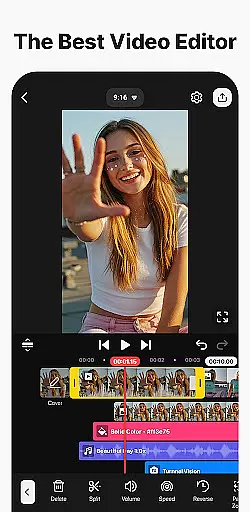
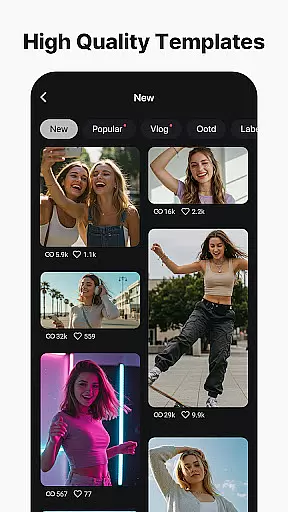
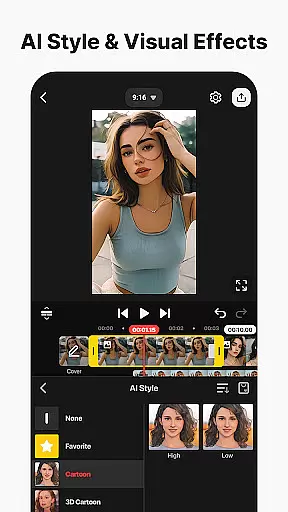
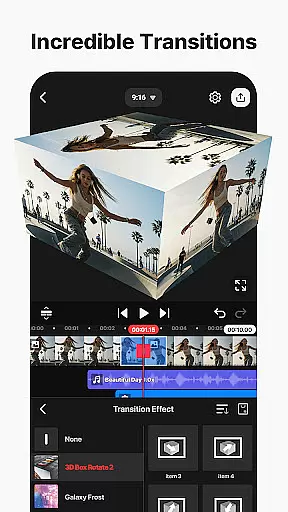
KineMaster is a comprehensive video editing application designed for both amateur and professional content creators. This app allows users to edit various types of videos including movies, vlogs, Reels, and Shorts with ease. It offers a wide array of AI-powered tools that simplify the process of creating complex videos. These include AI Auto Captions, AI Text-to-Speech, AI Voice, AI Music Match, AI Magic Removal, AI Noise Removal, AI Vocal Separator, AI Tracking, AI Upscaling, and AI Style.
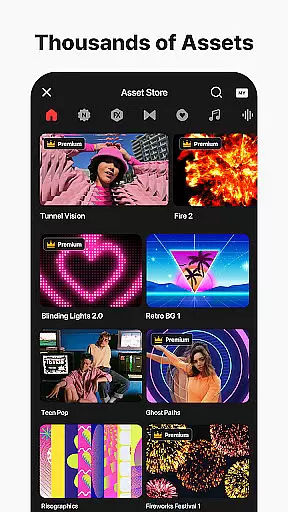
In addition to its AI capabilities, KineMaster provides professional-grade features such as Keyframe Animation, Chroma Key (Green Screen), and Speed Control, making advanced video editing accessible to everyone. The app also includes thousands of templates to jumpstart creativity, an extensive Asset Store filled with effects, stickers, music, and fonts, and supports high-quality output options like 4K 60 FPS. With its user-friendly interface and powerful editing tools, KineMaster stands out as a top choice for anyone looking to produce high-quality video content on their mobile device.
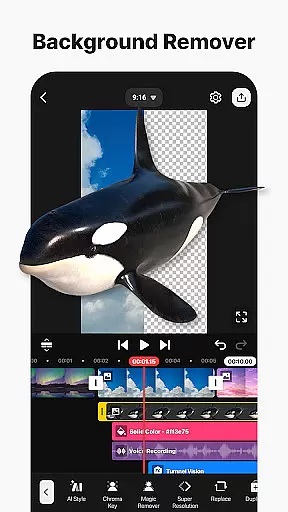
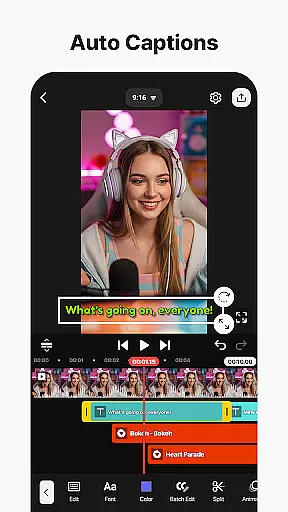
KineMaster distinguishes itself through its robust set of features tailored for efficient and creative video editing. One of its standout aspects is the integration of AI tools that automate tedious tasks. For instance, AI Auto Captions can instantly generate subtitles from audio, while AI Text-to-Speech converts written text into spoken audio effortlessly. The AI Magic Removal tool simplifies background removal around subjects, and AI Noise Removal eliminates unwanted sounds from recordings.
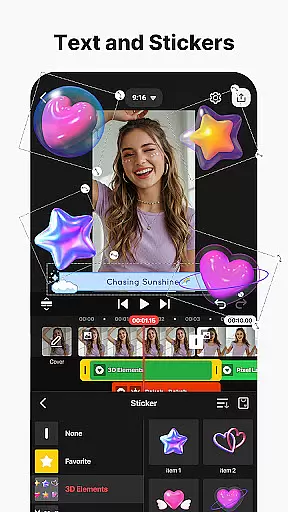
Beyond AI functionalities, KineMaster offers professional tools like Keyframe Animation, which lets users adjust the size, position, and rotation of layers over time, and Chroma Key for seamless background replacement. Users can manipulate video speed with precision using Speed Control features, enabling reverse playback, slow-motion effects, or time-lapse creations. Additionally, the app's asset library is vast, providing numerous effects, transitions, stickers, music tracks, and stock footage to enhance any project. With support for multi-layer editing, magnetic guides, and full-screen previews, KineMaster ensures a smooth and intuitive editing experience.
Video format compatibility is a crucial feature for any video editing application, ensuring that users can work with a wide range of file types. KineMaster excels in this area by supporting an extensive array of video formats, allowing creators to import and export projects without worrying about conversion issues.
The app's advanced format support includes popular codecs and resolutions, enabling seamless integration with various devices and platforms. Whether you're working with high-resolution 4K footage or need to export optimized files for social media, KineMaster provides the necessary tools to handle different requirements.
Users benefit from this comprehensive format compatibility through increased productivity and creative freedom. The ability to work directly with diverse media files saves valuable time during the editing process while maintaining professional-grade quality throughout the project.
AI-powered editing features represent a significant advancement in video production technology, offering intelligent tools that streamline complex tasks. KineMaster incorporates multiple AI-driven functions that revolutionize how users approach video creation and enhancement.
The application's AI toolkit includes automatic caption generation, background removal, noise reduction, and vocal separation capabilities. These features utilize sophisticated algorithms to analyze and process video elements, delivering professional results with minimal effort. Additionally, AI upscaling and style transfer options enable creators to enhance visual quality and artistic expression.
This integration of artificial intelligence significantly benefits users by reducing editing time while maintaining high production values. Content creators can focus more on storytelling and creative aspects, knowing that technical challenges are efficiently handled by KineMaster's intelligent systems.
User-friendly interface
Extensive AI tools
Professional editing features
Vast asset library
High-quality export options
Subscription model required
Watermark in free version
Advanced tools may overwhelm beginners
Resource-intensive
Limited offline assets

Create & edit videos with AI
 4.30
4.30
Live TV, anywhere in your home
3.80
Turn your phone into a wireless camera!
4.20
An easy-to-use and all-round screen recorder with audio
4.80
Fast & easy HD video downloader for all formats, support 4K playback & download.
4.60
Cast to Smart TV, Fire TV. Cast video, photo - Fast & Stable!
3.90
Mix with Virtual DJ directly from your phone or tablet !
3.10
AI Video Editor with Music, Filter, Slideshow, Effect, Merge & Trim Video.
4.80
Video&Drama Player All Format is a HD video player, music player
3.00
A Simple app to download Video & Music from the Internet.
4.70
A Quick and Pro Video Editor
4.70
Cast movies, tv shows and live streams to Chromecast, Roku, DLNA, Fire TV & more
4.60
Auto video maker with music & exclusive filters. Video editing made simple.
4.50
Fast video downloader & private browser. Save HD clips to watch offline.
4.40
IPTV-Smarters Player Pro M3U - Watch Live Stream TV Channels with Chromecast
4.00
1)AirPlay/DLNA Mirroring/Streaming, up to 4 connections; 2)Samba/NAS/DMS Player.
4.00
Fast private browser with secure, seamless access & supported video downloads!
4.00
Kodi media center, a free and open source cross-platform entertainment hub
3.60
A full editing room to accompany your Insta360 cameras and handheld gimbals.
3.30


User Reviews