
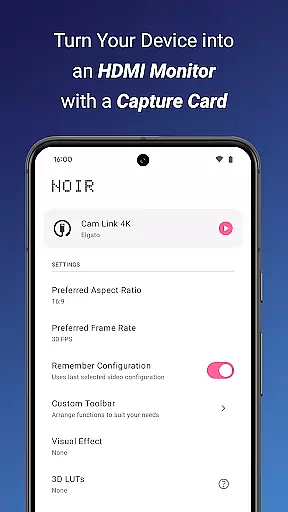
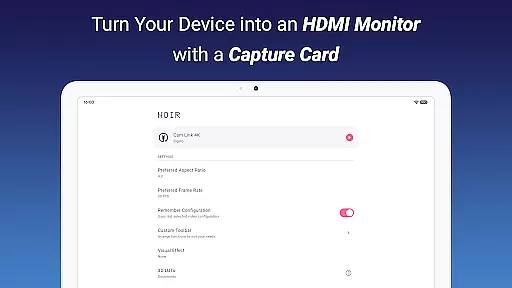
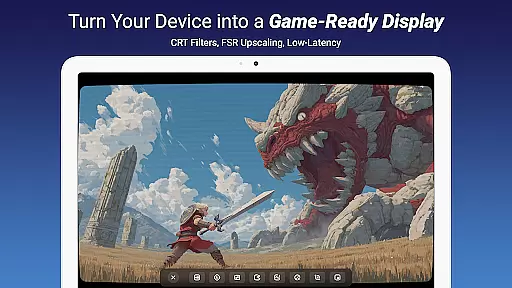
Noir Pro is a professional-grade video player and editor designed for users who require advanced features and high performance. This app transforms your device into a versatile monitor for various HDMI-output devices, including gaming consoles, laptops, and cameras. With support for UVC video streaming and UAC audio streaming, Noir Pro offers a choice between OpenGL ES and Vulkan for the graphics backend, ensuring optimal performance on different devices.
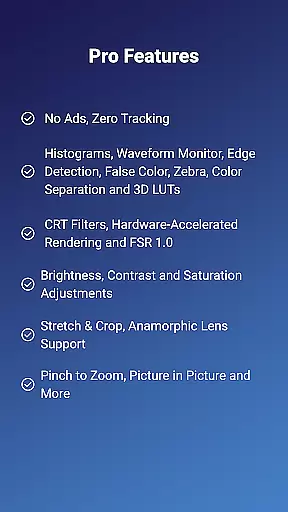
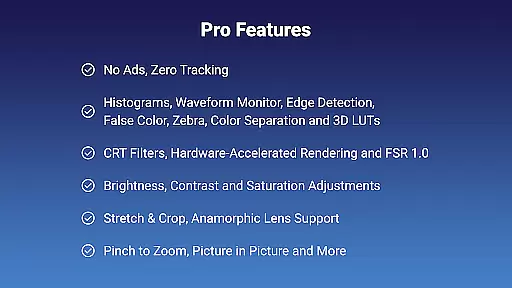
The app boasts an array of pro features such as 3D LUTs, Waveform Monitor, Histogram, Edge Detection, False Color, Zebra, Color Separation, CRT Filters, FSR 1.0, Pinch to Zoom, Stretch and Crop, Anamorphic Lens Support, and adjustments for Brightness, Contrast, and Saturation. Additionally, it provides app-specific volume control, Picture in Picture Mode, and in-app screenshot capabilities, making it a comprehensive tool for both casual and professional use.
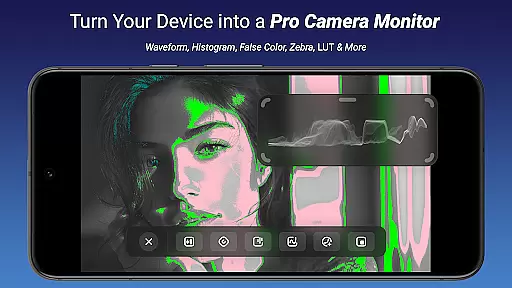
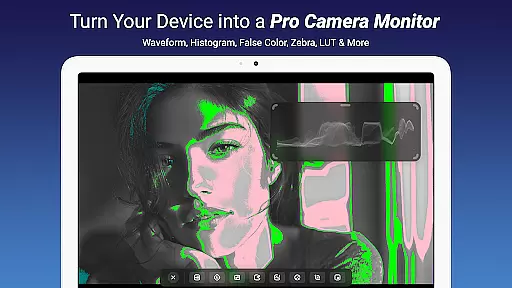
Noir Pro stands out with its extensive list of professional features tailored for video enthusiasts and professionals. The app includes advanced monitoring tools like Waveform Monitor and Histogram for precise color grading and exposure control. Its Edge Detection and False Color features assist in focusing and exposure accuracy, while Zebra patterns help in identifying overexposed areas in your footage.
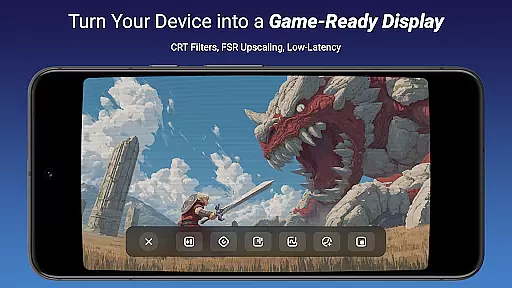
One of the key highlights is the support for 3D LUTs, allowing users to apply custom color profiles for consistent and creative color grading. The inclusion of CRT Filters and FSR 1.0 enhances the visual experience by providing retro aesthetics and improved image quality. Furthermore, Noir Pro supports pinch-to-zoom functionality, stretch and crop options, and anamorphic lens compatibility, catering to diverse video editing needs. With app-specific volume control and Picture in Picture Mode, users can enjoy a customizable and uninterrupted workflow.
Noir Pro stands out in the realm of video players and editors through its extensive video format compatibility. This feature ensures that users can play or edit videos without the worry of format incompatibility, which often disrupts workflow and viewing experiences.
The application supports both UVC video streaming and UAC audio streaming, offering users a versatile choice between OpenGL ES and Vulkan for the graphics backend. This flexibility not only enhances performance but also allows for an optimized experience based on the user's device capabilities.
With Noir Pro, users can enjoy seamless playback and editing of videos captured via HDMI-output devices or USB streaming cameras, endoscopes, and microscopes. The support for MJPEG formats up to 1080p30fps (and in some cases, up to 1080p50fps) underlines the app's commitment to delivering high-quality video experiences across various use cases.
This compatibility empowers creators and viewers alike, ensuring that whether you're using your device as a portable display for gaming consoles, laptops, or cameras, Noir Pro facilitates an uninterrupted and enriched multimedia engagement.
In today's digital age, AI-powered editing features have become a cornerstone of efficient video editing, and Noir Pro excels in this domain. By integrating advanced algorithms, the app offers users tools like 3D LUTs, Waveform Monitor, Histogram, Edge Detection, False Color, Zebra, and Color Separation, elevating the video editing process to professional standards.
These AI-driven tools allow for precise adjustments in brightness, contrast, and saturation, alongside innovative CRT filters and FSR 1.0 technology. Such features enable content creators to achieve their desired aesthetic with minimal effort, significantly reducing the time and complexity traditionally associated with high-quality video production.
Noir Pro further enhances user experience by providing app-specific volume control, picture-in-picture mode, and in-app screenshot capabilities. These functionalities ensure that editors can fine-tune every aspect of their project within a single, streamlined environment.
Ultimately, the incorporation of AI-powered editing features positions Noir Pro as a cutting-edge solution for videographers and hobbyists seeking to produce compelling visual stories with unprecedented ease and efficiency.
Advanced Monitoring Tools
Customizable Color Profiles
Comprehensive Video Editing
Supports Multiple Devices
High Performance Graphics
Requires USB-C Capture Card
No Free Version Available
Complex for Beginners
Limited Device Compatibility
Premium Price Point

Fast, private downloading, video saving, social media
 4.50
4.50
KineMaster, Your Ultimate Video Editor!
4.40
Play ALL formats in 4K & HD. Video downloader, MP3 player, Chromecast & more.
4.80
Powerful HD video player with support for all formats & subtitles.
4.0
This app was created to edit the metadata of music files.
4.20
Browser for Sony TV to stream web videos, online movies and live tv
3.20
Connect EasyCap or UVC devices for recording and broadcast video/audio stream
3.60
Cast movies, tv shows and live streams to Chromecast, Roku, DLNA, Fire TV & more
4.60
Manage your YouTube channel on the go
4.40
IPTV Loader, loads your own Playlist. DOES NOT CONTAIN ANY LIST OR CHANNELS
4.60
HD video maker with no watermark, no ads & vlog maker with music, PIP, text
4.50
Download website videos fast&privacy
4.40
Fast & Private Video Downloader App. Save all videos easily from the Internet.
4.40
Create & edit videos with AI
4.30
Explore the largest library of free GIFs, Stickers & Memes - or create your own!
3.90
Live TV, anywhere in your home
3.80
Livestream, news, & gaming content. Watch, chat, and upload. Join Rumble today!
3.80
Download videos easily & play them all in one smart, powerful video manager.
3.40
Play and download HD videos from all sources — fast, simple, and all-in-one.
4.3


User Reviews