
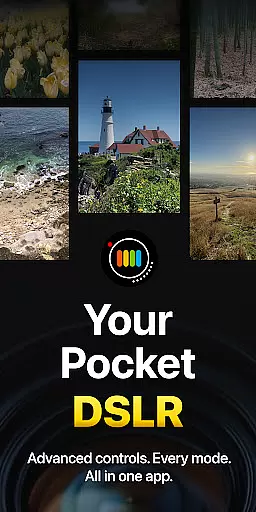
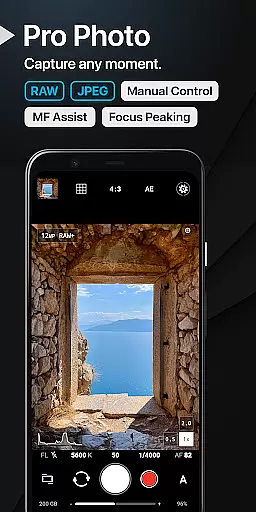
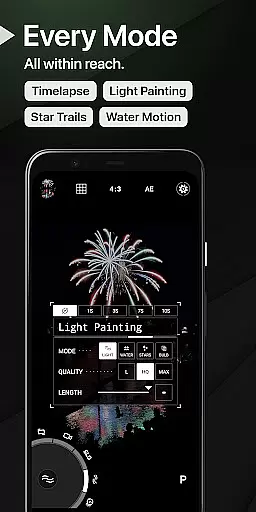
ProShot is a professional-grade photography and filmmaking application designed for Android users who demand full control over their mobile photography experience. This app offers an extensive range of manual controls akin to those found in DSLR cameras, including ISO, shutter speed, white balance, and exposure settings. Its unique Dual Dial system allows swift navigation through camera settings, while specialized modes like Light Painting and Bulb enable creative exploration.
The app supports various shooting formats such as RAW (DNG), JPEG, or RAW+JPEG, with additional compatibility for HEIC on select devices. ProShot also provides advanced video capabilities, supporting resolutions up to 8K and high frame rates, along with LOG and FLAT color profiles for enhanced post-production flexibility. With privacy at its core, ProShot ensures that no personal data is collected or transmitted, offering peace of mind to its users.
ProShot stands out with its comprehensive feature set tailored for both amateur and professional photographers. The app leverages the camera2 API to deliver DSLR-like functionalities, including Auto, Program, Manual, and Custom modes. Users can fine-tune every aspect of their shots with precision controls for focus, ISO, shutter speed, and more. Additionally, ProShot includes innovative tools such as zero-lag bracket exposure, manual focus assist, and focus peaking with customizable colors.
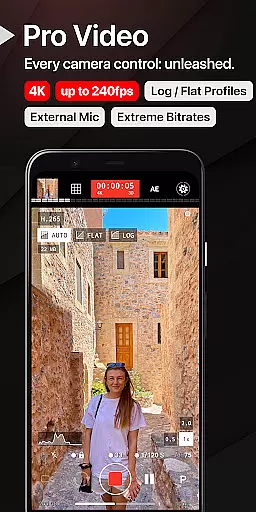
For videographers, ProShot does not disappoint. It extends all photo mode controls into video mode, allowing for up to 8K recording with extreme bitrate options. The app supports 'beyond 4K' resolutions on compatible devices, adjustable frame rates from 24 FPS to 240 FPS, and industry-standard 180-degree rule options. Real-time audio level monitoring, support for external microphones, and simultaneous audio playback during recording further enhance the video production experience.
Real-time capture and preview functionality is essential for photographers who need precision and control over their shots. ProShot offers a seamless experience by leveraging the camera2 API, ensuring that what you see on the screen is exactly what you get in your final image or video. This real-time feedback allows users to make instant adjustments to settings such as exposure, focus, and white balance.
The application provides manual controls akin to those found in DSLR cameras, empowering users with the ability to fine-tune every aspect of their photography. Whether shooting in RAW, JPEG, or HEIC formats, ProShot ensures that each shot is captured with the highest fidelity. The immediate preview feature enables photographers to review their work instantly, making it easier to capture the perfect moment without delay.
ProShot's interface is designed for efficiency, featuring unique tools like Dual Dial systems and customizable accent colors. These elements contribute to an intuitive user experience that adapts to various shooting scenarios. With zero-lag bracket exposure and manual focus assist, users can achieve professional-grade results while enjoying the convenience of a mobile platform.
While ProShot does not emphasize AI-driven beauty enhancements, it focuses on delivering natural and authentic image quality through advanced manual controls. The app provides options for Noise Reduction, Tone Mapping, and Sharpness adjustments, which allow users to enhance their photos without relying on artificial intelligence. This approach ensures that enhancements remain true to the original scene, preserving the integrity of the photograph.
Photographers using ProShot have access to a wide array of features that support creative expression. From Light Painting modes for capturing star trails to Bulb mode for long exposures, the app caters to enthusiasts looking to explore different photographic techniques. Each tool is crafted to maintain the natural essence of the subject, avoiding over-processed effects that can detract from the image's authenticity.
Furthermore, ProShot respects user privacy by not collecting or transmitting personal data. This commitment to privacy extends to its enhancement features, where the emphasis is placed on giving users full control over their edits. By prioritizing natural enhancement methods, ProShot stands out as a reliable choice for photographers seeking genuine and unaltered results.
Full manual controls
DSLR-like interface
Privacy-focused design
Advanced video features
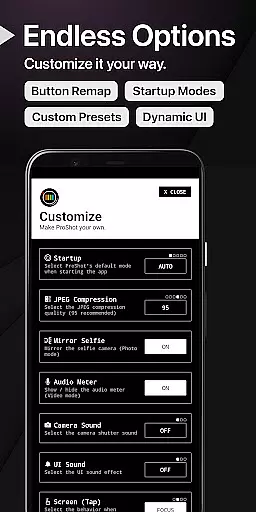
Customizable settings
Complex for beginners
High system requirements
Limited free features
No built-in editor
Premium price tag

Safe & smart flight with Go Fly drone controller for 40+ drone camera, zone map
 4.50
4.50
Create AI Photos, Improve and restore quality of blurry, old or damaged pics.
4.20
Gallery Slideshow is slideshow maker app for slideshow from your gallery photos.
3.90
Professional photography on your mobile phone
4.20
AI Photo Editor with 100+ Filters, Effects! Remove BG, Retouch & Photo Enhancer.
4.80
AI photo enhancer with Sora 2! Enhance, descratch, and colorize your old photos.
4.50
Effortlessly make high-quality GIFs from images & videos without any watermarks.
4.70
Unlock the full potential of your DJI drone with Litchi
4.50
Try an anime version, cartoon yourself, and generate AI hug or aging videos!
3.70
Find time and duration of different sunlight phases at any location
4.90
See your baby AI baby face generator AI baby maker Face generator babymaker fun!
4.70
Your personal guide to the sun and moon. Plan ahead, visualize and predict!
4.70
Search, tag and rate your way to an organized image gallery
4.40
Smart, light, and fast photo and video gallery
4.30
AI-powered video creator by MiniMax - Where ideas meet cinema
4.20
Photobooth mini FULL app will allow you to add more fun to your parties
4.00
Astrophotography with your smartphone, photo live stacking and much more!
3.90
GCamera allows all GCam features on all phone models! Better photos with GCamera
3.30
Application for remote controlling DSLR
3.00


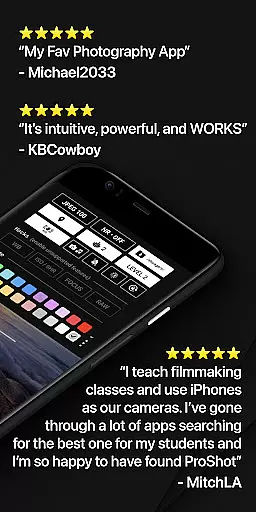
User Reviews