
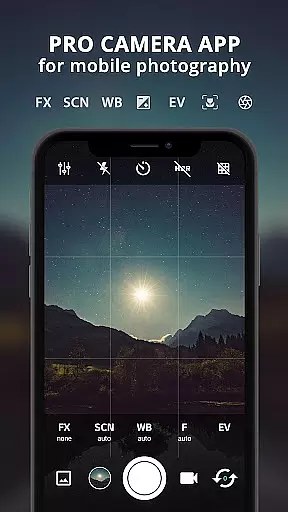
ProCam X transforms your smartphone into a professional-grade camera, offering full manual control over essential photography parameters. With precise adjustments for exposure, focus, white balance, ISO, and shutter speed, this app is designed to elevate your mobile photography experience. It supports advanced features like 4K video recording, real-time filters, and geotagging, making it an ideal tool for both amateur and professional photographers.
The application stands out with its burst shooting mode, facial recognition, and DSLR-like functionalities including manual ISO and exposure lock. These features are particularly beneficial for creating time-lapse videos or capturing high-quality images in challenging lighting conditions. Whether you're shooting landscapes, portraits, or action sequences, ProCam X provides the tools needed to produce stunning results.
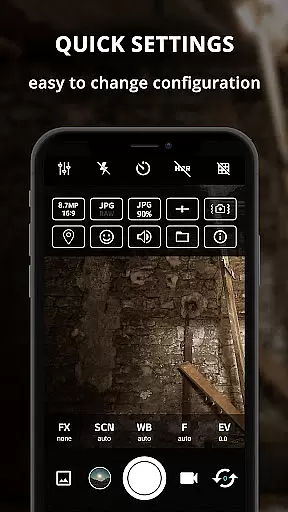
Designed for Android devices running version 5.0 and above with Camera2 API support, ProCam X ensures smooth performance and reliable functionality. Its intuitive interface allows users to easily navigate through various settings while maintaining a clean design. This makes it accessible even to those new to manual photography controls, helping them unlock their creative potential without compromising on quality or ease of use.
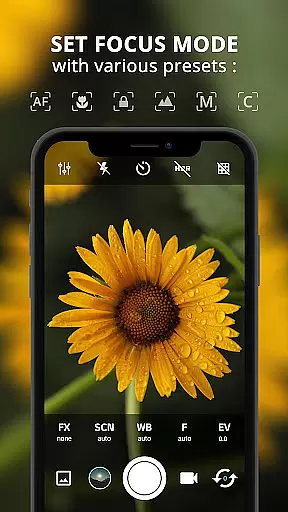
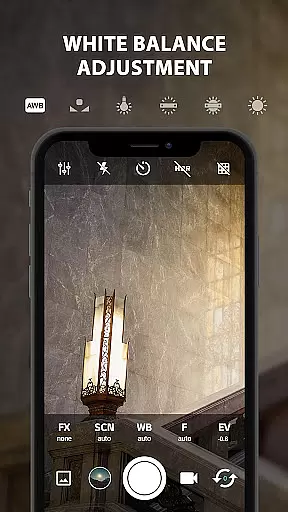
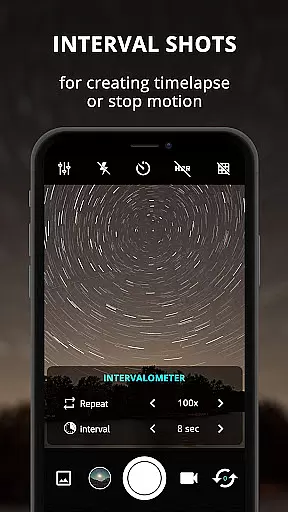
ProCam X boasts an impressive array of features that cater to every photographer's needs. One standout capability is the ability to manually adjust ISO, exposure, focus, and white balance—functions typically found only in high-end DSLR cameras. Users can also take advantage of advanced shooting modes such as intervalometer and burst mode, which are perfect for creating dynamic time-lapse videos or capturing fast-paced action sequences with precision.
In addition to these powerful tools, ProCam X offers several unique functionalities that enhance user experience. The app includes real-time photo filters, customizable volume key operations, and an optional GPS location tagging feature known as geotagging. These elements not only improve image quality but also provide greater flexibility when editing photos post-capture. Furthermore, the inclusion of a silent camera option ensures discreet shooting in sensitive environments.
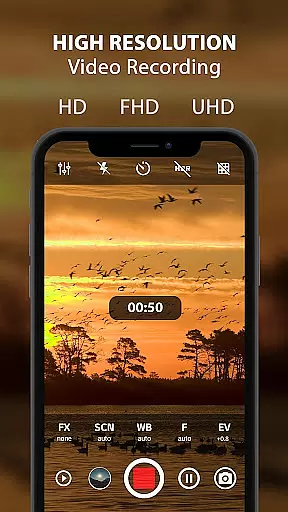
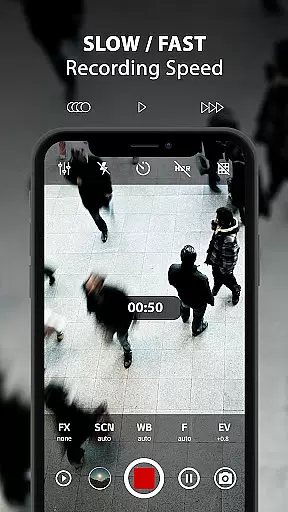
Another remarkable aspect of ProCam X is its support for 4K video recording, complete with adjustable bit rates and optional audio tracks. This feature allows videographers to produce ultra-high-definition content directly from their smartphones without sacrificing clarity or detail. Additionally, the app’s grid view options—including golden ratio lines—assist in composing balanced shots by providing visual guidelines during framing. Overall, ProCam X combines sophisticated technology with user-friendly interfaces to deliver unparalleled photographic capabilities right at your fingertips.
Real-time capture and preview functionality is essential for ensuring that every photo or video taken with ProCam X meets professional standards. This feature allows users to see exactly what the camera sensor is capturing, providing a live view that helps in making precise adjustments before taking a shot.
ProCam X offers advanced real-time filter and color effect options, enabling photographers to apply various effects instantly while previewing their shots. The app's anti-shake feature ensures stability during capture, reducing blur and improving overall image quality. Additionally, geotagging capabilities allow users to embed location data directly into their photos.
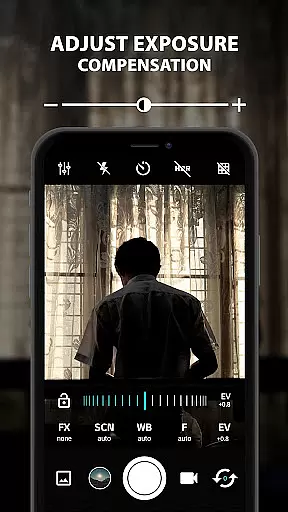
The benefits of real-time capture extend beyond just previewing images. Users can adjust settings such as exposure, white balance, ISO, and focus manually through an intuitive interface. These controls empower photographers to fine-tune their compositions, resulting in higher-quality outputs that reflect their creative vision.
Ultimately, the real-time capture and preview features in ProCam X enhance the mobile photography experience by offering DSLR-like control over camera settings. Whether capturing high-resolution images or recording 4K videos, these tools ensure that users achieve optimal results every time they use the app.
AI beauty and enhancement features have become increasingly popular in mobile photography, allowing users to improve their photos naturally without compromising authenticity. ProCam X leverages AI technology to provide enhancements that maintain the natural look of subjects while elevating overall image quality.
One key aspect of this feature is its ability to apply real-time filters and color effects intelligently. By analyzing the scene, the app adjusts parameters such as brightness, contrast, and saturation to create visually appealing images. This process ensures that enhancements appear seamless and do not detract from the original composition.
In addition to aesthetic improvements, ProCam X includes practical tools like facial recognition and anti-shake functionalities. Facial recognition helps optimize portraits by identifying faces and applying enhancements selectively. Meanwhile, the anti-shake feature stabilizes the camera during capture, minimizing motion blur and producing clearer images.
By integrating AI-driven enhancements with manual controls, ProCam X strikes a balance between automation and user intervention. This combination allows both amateur and professional photographers to achieve stunning results while retaining creative control over their work.
User-friendly interface
Advanced manual controls
Supports 4K video
Real-time filters
Geotagging feature
Requires Camera2 API
No free version
Complex for beginners
Occasional bugs
High system demands

Search, tag and rate your way to an organized image gallery
 4.40
4.40
Shooting photos and records video easily and efficient with professional Camera
4.30
Photobooth mini FULL app will allow you to add more fun to your parties
4.00
Amazing Photo Effects - The most fun you can have with your photos!
4.70
Photo editor & gallery. Crop pictures & edit photos offline, no wifi!
4.50
Easily view, share, delete photos with Gallery.
4.70
Catch sunlight, sunrise sunset times and sun phases with the AR sun tracker.
4.10
Unlock the full potential of your DJI drone with Litchi
4.50
Welcome to ProShot, the most powerful camera app on Android.
4.20
Discover & download millions of art for The Frame TV or Hisense CanvasTV
4.60
Trendy TikTok time warp scan funny filter app brings you unique photos & videos.
4.40
Future baby face generator: AI kids generator, kid face! What my baby look like?
4.40
AI portrait generator and polaroid AI selfie, fun AI generated AI photo creator!
4.30
Turn your phone into a professional camera - full DSLR manual photography
4.30
Create & Edit with AI: AI Remove, Enhance, Retouch, Filter
4.10
Gallery Slideshow is slideshow maker app for slideshow from your gallery photos.
3.90
An interval timer to automate photo taking process for timelapse
2.90
Photo Album Watch Face shows your favorite pictures as a Watchface.
1.90
Snap photos remotely using your Garmin watch as the camera trigger
4.3


User Reviews