
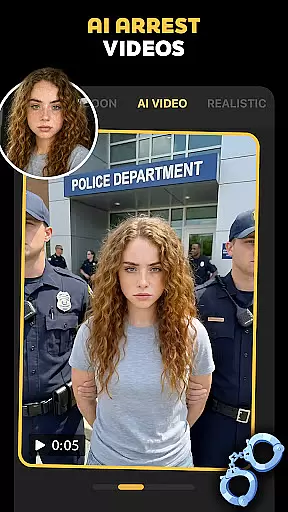
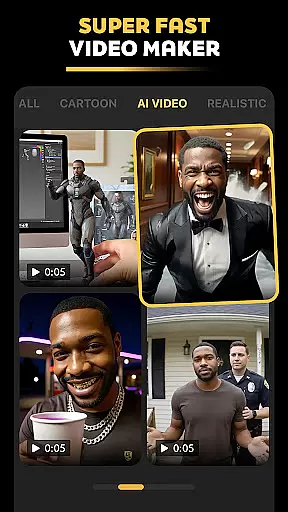
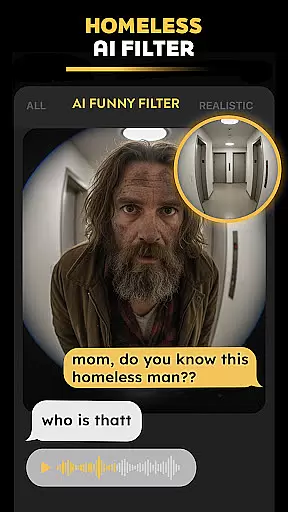



Pose is an innovative AI-powered photo and video editing application designed to transform ordinary images into extraordinary content. This app offers a wide range of features including the AI Birthday Photo Shoot, Rain & Snow AI Photo Remake, and the Viral Polaroid AI Filter. Users can create professional-grade visuals with trending effects such as AI snow video, AI homeless man, and polaroid AI. Whether you're looking to enhance your social media presence or create unique personal content, Pose provides the tools to make it happen.
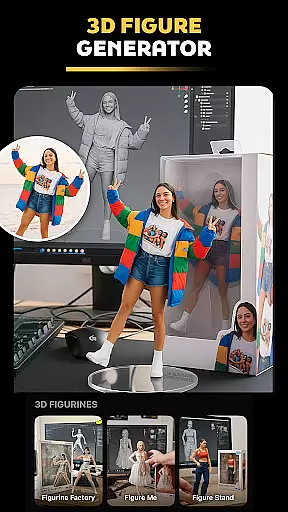
The app's versatility extends beyond static images, allowing users to generate short videos and dynamic animations. With capabilities like the AI Video Generator, AI Action Figure Maker, and AI Mermaid Filter, Pose empowers users to unleash their creativity. From crafting realistic AI boyfriend/girlfriend videos to designing 3D figurines, the possibilities are endless. Pose ensures high-quality output that's perfect for sharing across platforms like Instagram, Facebook, TikTok, and more.
Pose stands out with its comprehensive suite of AI-driven features tailored for both casual users and professionals. The AI Birthday Photo Shoot transforms simple portraits into luxurious birthday-themed shoots, adding elegance and glamour to your celebrations. The Rain & Snow AI Photo Remake feature lets you convert everyday photos into seasonal masterpieces, complete with realistic weather effects that evoke specific moods and atmospheres.
One of the app's highlights is the Viral Polaroid AI Filter, which brings vintage charm to modern digital photography. This filter allows users to reimagine their shots in retro style, ideal for sharing on social media platforms. Additionally, the Ghostface Y2K Portrait Vibes feature taps into current trends, turning selfies into edgy, iconic portraits. For those interested in video content, the AI Video Generator creates lifelike animations from still images, supporting various styles from caricatures to action-packed scenes.
Pose also includes niche features like the AI Action Figure Maker and AI Mermaid Filter, catering to specific creative needs. These tools enable users to design personalized 3D figurines and mermaid-themed visuals, respectively. Each feature within Pose is crafted to provide unique value, ensuring users can produce distinctive content that stands out in crowded digital spaces.
Real-time capture and preview functionality is essential for photography applications as it allows users to see exactly what the camera sees before taking a shot. Pose, with its advanced AI capabilities, offers an intuitive real-time preview that ensures every photo or video taken meets high-quality standards.
The app leverages sophisticated algorithms to provide instant feedback on lighting, composition, and effects applied in real time. This means users can adjust settings like exposure, contrast, and apply various trendy filters such as AI snow video or polaroid AI without any lag, ensuring their creative vision is realized instantly.
For content creators aiming to produce viral videos or striking images for platforms like TikTok and Instagram, this feature guarantees that the final output aligns perfectly with their expectations. The ability to visualize changes immediately not only saves time but also enhances the overall user experience by making photo editing more interactive and engaging.
AI beauty and enhancement features are crucial for modern photography apps, providing tools that improve image quality while maintaining natural aesthetics. Pose stands out by offering enhancements that elevate photos without compromising authenticity, thanks to its cutting-edge AI technology.
Users can transform ordinary photos into stunning portraits using options like Rain & Snow AI Photo Remake or Viral Polaroid AI Filter. These features intelligently enhance facial features, skin texture, and environmental elements, creating professional-grade results. Whether it's adding cinematic rain effects or turning a simple selfie into an edgy Y2K aesthetic portrait, Pose ensures each modification looks genuine.
This balance between enhancement and realism helps users maintain credibility on social media platforms where audiences value authentic content. By delivering polished yet believable images, Pose empowers creators to captivate their audience effectively, boosting engagement and expanding reach across networks like Facebook, Snapchat, and TikTok.
User-friendly interface
Wide range of effects
High-quality output
Versatile content creation
Regular updates
Some features may require premium access
Occasional processing delays
Limited free trial options
Advanced tools have a learning curve
Resource-intensive on older devices

Remote control of the phone camera from your Wear OS smartwatch
 3.70
3.70
Search, tag and rate your way to an organized image gallery
4.40
1M influencer's special filter
4.60
Cartoon and artistic effects for your photos and videos
4.70
Superimpose one photo on top of another using the original Superimpose app!
3.20
HD Camera Pro with HD Video shooting, Panorama, Photo editor , Beauty Camera.
4.50
Raw Image Viewer. Gallery with support of raw images (.cr3, .cr2, .nef, .raf).
2.00
Transform Photos: Edit, Beautify and Craft Memories & Make Collages!
4.10
Pro version: AR sun/moon tracker for any date. Tool for photographers & planners
4.90
Gallery show photo, video, slideshow, is perfect 3D effect private photo albums.
4.80
AI photo editor with hair editor, retouch tools, hair color changer & filters!
4.50
Shooting photos and records video easily and efficient with professional Camera
4.30
Professional photography on your mobile phone
4.20
Luminar: Photo Editor - easy picture editing with AI
4.20
The #1 app for B&W film developing featuring an advanced darkroom timer.
4.10
live datamoshing
4.00
How would you look like with a differently shaped nose, chin or lips?
3.90
Pet Camera
3.70
Be your best in every shot! Fix, edit and retouch your face in selfies & photos.
3.70


User Reviews