
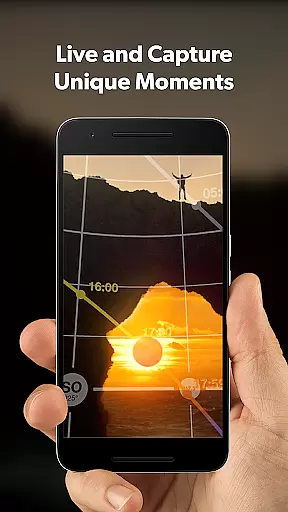
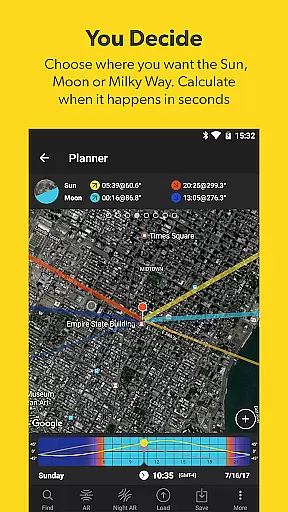
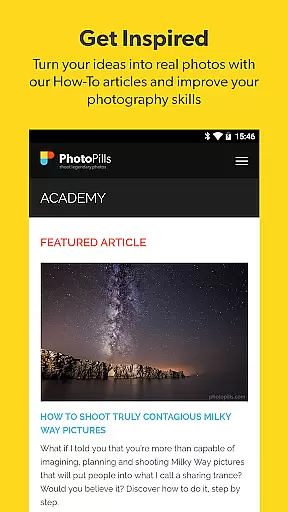
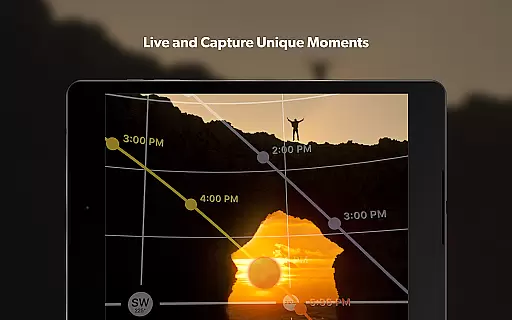
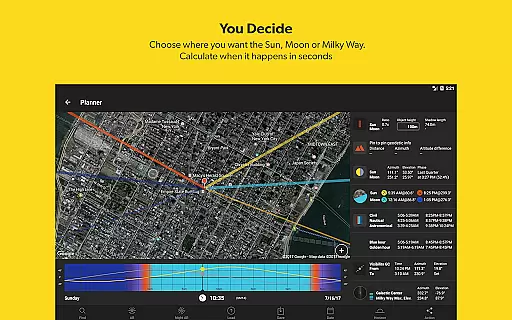

PhotoPills is a comprehensive photography planning tool that unlocks creative potential by helping photographers turn imaginative Sun, Moon, and Milky Way scenes into reality. This all-in-one app provides essential tools for capturing legendary photos, including 2D map-centric planners, augmented reality features, and detailed calculators for exposure, timelapse, and more.
The app's standout feature is its ability to precisely plan celestial events, making it invaluable for landscape, night sky, and wedding photographers alike. With functionalities like the Sun, Moon Alignments Fast Finder and 3D Augmented Reality views, PhotoPills ensures users can effectively scout locations, manage photo plans, and capture unique moments with confidence.
Whether you're an amateur photographer or a seasoned professional, PhotoPills offers practical solutions for planning and executing your creative ideas. Its intuitive interface and powerful tools make it possible to explore new artistic possibilities, tell visual stories, and elevate your photography to legendary status every time you pick up the camera.
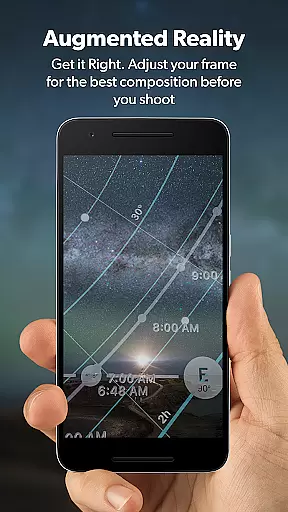
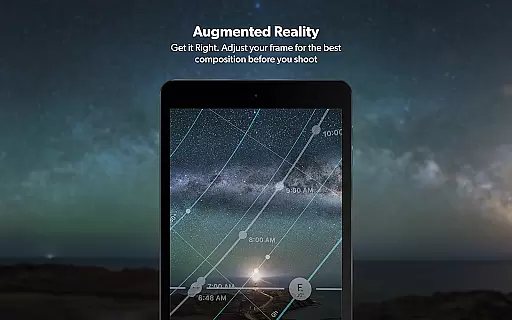
PhotoPills stands out with its robust set of features tailored for photographers who demand precision and creativity. The app includes a 2D Map-Centric Planner for Sun, Moon, and Milky Way shots, allowing users to visualize and plan their shots with exactness. Additionally, the 3D Augmented Reality feature provides real-time views of celestial bodies, enhancing the planning process by simulating how these elements will appear in your composition.
Another key feature is the Photo Plans Manager, which helps photographers organize and execute their planned shots efficiently. Coupled with the Location Scouting Tool, users can save and revisit Points of Interest, ensuring they never miss an unmissable scene. The app also offers widgets for quick access to daily Sun, Moon, and Milky Way information, streamlining the workflow for photographers on the go.
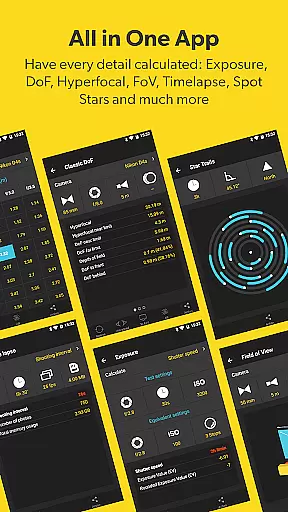
With advanced calculators for long exposure, timelapse, and hyperfocal distance, PhotoPills empowers photographers to get their shots right the first time. These innovative tools, endorsed by renowned photographers, ensure that users can work smarter, not harder, and consistently produce high-quality images that stand out.
Real-time capture and preview functionality is essential for photographers who need to ensure their shot is perfectly composed before pressing the shutter. PhotoPills offers this feature through its advanced 3D Augmented Reality views, allowing users to visualize exactly where the Sun, Moon, and Milky Way will appear in their composition.
This innovative tool enables photographers to adjust their frame with precision, ensuring that celestial bodies align perfectly within the desired scene. By providing an accurate preview of astronomical events, PhotoPills empowers users to plan their shots down to the exact date and time, maximizing the potential for capturing truly legendary photos.
The benefits of this real-time functionality extend beyond just celestial planning. Photographers can also use it to scout locations, save points of interest, and manage their photo plans effectively. This ensures they are always in the right place at the right time, ready to capture the perfect moment without any guesswork.
Ultimately, PhotoPills' real-time capture and preview features transform the way photographers interact with their environment, offering a level of precision and control that was previously unimaginable. This capability not only enhances creativity but also significantly increases the likelihood of achieving outstanding photographic results every time the camera is used.
While PhotoPills does not focus on AI beauty enhancements typical in portrait photography apps, it excels in enhancing the natural beauty of landscapes and celestial phenomena. The app's sophisticated tools allow photographers to plan and execute shots that highlight the inherent aesthetics of nature, such as the precise alignment of the Sun, Moon, and Milky Way.
PhotoPills provides comprehensive information on sunrise and sunset times, twilight periods, and the position of celestial bodies, enabling photographers to capture scenes with stunning natural lighting. This data-driven approach ensures that each photograph benefits from optimal environmental conditions, resulting in images that are both visually striking and true to life.
In addition to celestial planning, PhotoPills includes practical calculators for long exposure, timelapse, and hyperfocal distance, which contribute to the overall quality and sharpness of the final image. These tools help photographers achieve technically excellent results while maintaining the authenticity of the scene being captured.
By focusing on the natural elements of photography, PhotoPills encourages users to explore new artistic possibilities and develop their unique style. The app's emphasis on genuine beauty over artificial enhancement fosters a deeper appreciation for the natural world, inspiring photographers to create work that resonates emotionally and stands out for its honesty and depth.
User-friendly interface
Comprehensive planning tools
Augmented reality features
Endorsed by photography masters
Regular updates and support
High learning curve
Premium price point
Device compatibility issues
Complex for beginners
Limited offline functionality

AI portrait generator and polaroid AI selfie, fun AI generated AI photo creator!
 4.30
4.30
Photobooth mini FULL app will allow you to add more fun to your parties
4.00
An interval timer to automate photo taking process for timelapse
2.90
AI photo editor with hair editor, retouch tools, hair color changer & filters!
4.50
Create AI photos & videos with Enhancer; restore, fix, beautify, enhance photos
4.50
Smart, light, and fast photo and video gallery
4.30
Pro version: AR sun/moon tracker for any date. Tool for photographers & planners
4.90
Your personal guide to the sun and moon. Plan ahead, visualize and predict!
4.70
Edit photos with the picture generator: PS2 & AI Clay filters, cartoon effects.
4.50
Perfect body tune & face app - photo retouch, makeup, slim body & beautify face.
4.80
Amazing Photo Effects - The most fun you can have with your photos!
4.70
Enhance, upscale, and transform your images — on your device, without limits
4.70
Create collages easily! Nice pic collage maker & background eraser for Instagram
4.50
Movie camera, supports pro recording settings for filming. Try it and be amazed!
4.50
Fit multiple photos on one post. Create carousels & scroll layouts for Instagram
4.50
Turn your phone into a professional camera - full DSLR manual photography
4.30
Professional camera app that brings DSLR manual photography controls to Android.
4.20
Transform Photos: Edit, Beautify and Craft Memories & Make Collages!
4.10
USB Storage Access for Photos, Videos, Music and Documents
3.80


User Reviews